Score Reporting
How score reporting works for managers, captains, and players.
slowpitch.love lets captains and players report scores directly from the schedule or team dashboard. Managers usually do not need to collect results by text, update standings by hand, or chase every score themselves.
This page covers the day-to-day score reporting workflow, including score corrections, staff-only score reporting, and what to do if a score looks suspicious.
How Scores Are Reported
Players open a game from the schedule or team dashboard, enter the result, and click "Save."
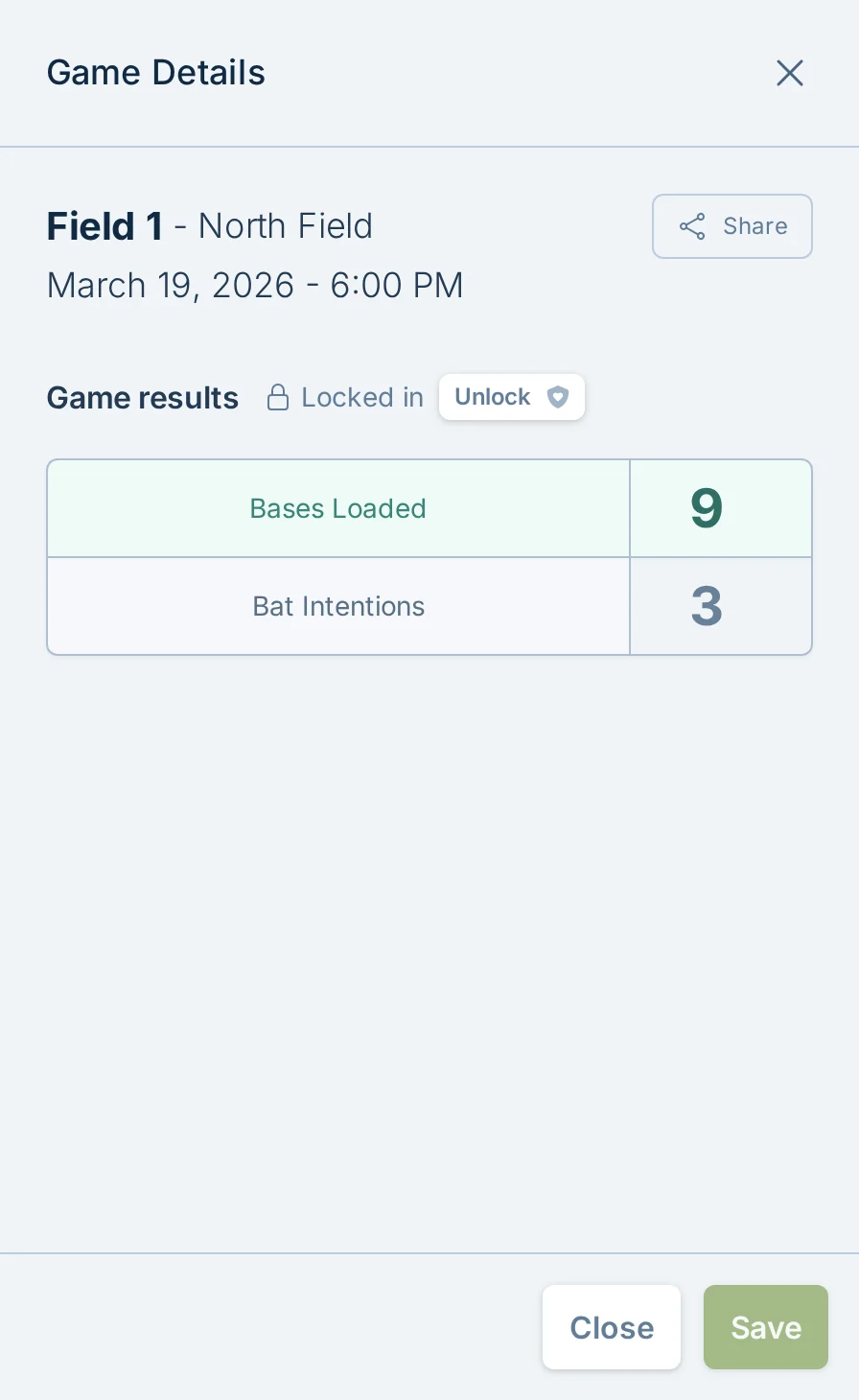
The score form follows your league's ranking rules: enter numeric scores when those rules use runs, or choose the result when they do not. Standings update when you save.
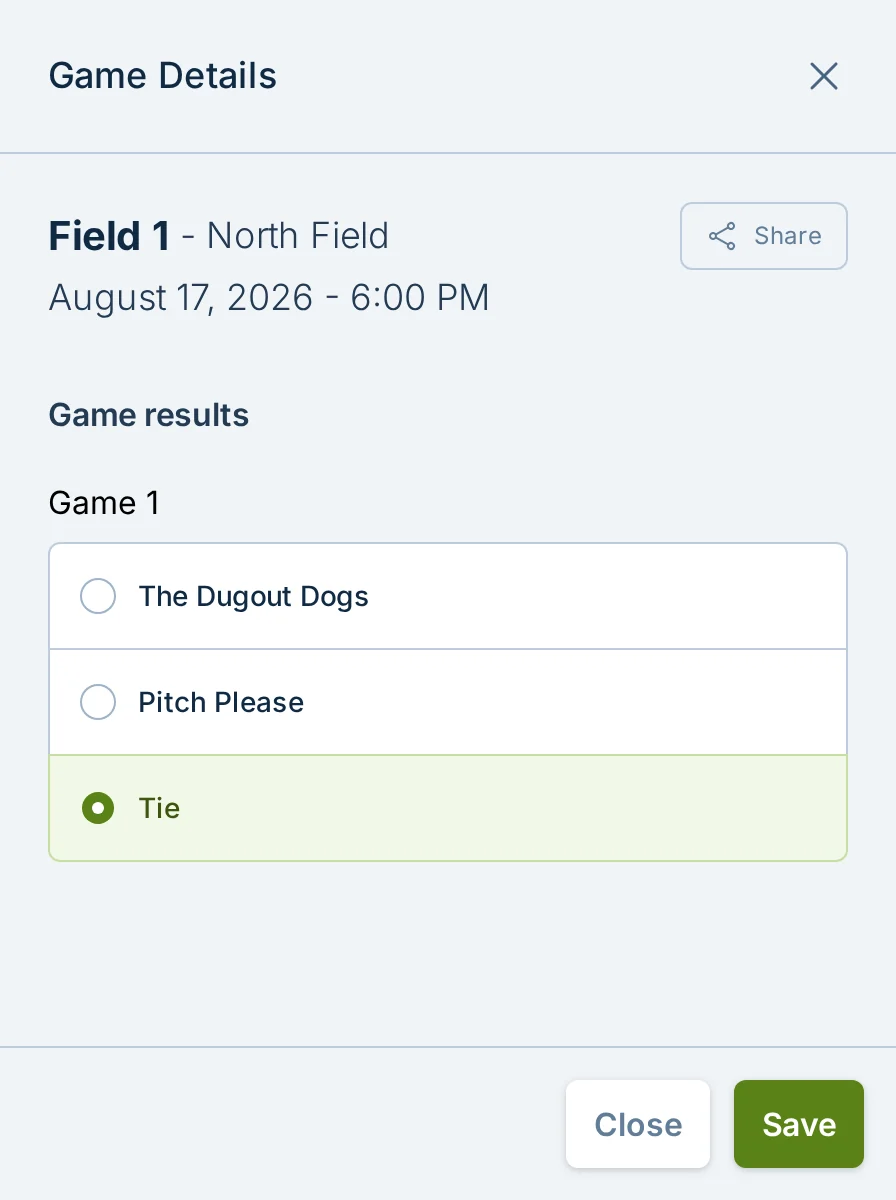
If your league allows ties, enter the final equal scores, or select Tie when reporting without scores. Leave an unplayed game blank. Playoffs still need a winner.
If a score is wrong, correct the score on the game. The standings are calculated from saved scores, so fixing the underlying result is usually all that is needed.
Who Can Report Scores
By default, captains and players can report scores without signing in. That keeps the post-game workflow simple and gives teams a low-friction way to keep standings up to date.
Players and captains do not need slowpitch.love accounts to participate in a league. Score reporting follows that same approach because players do not usually have account settings, team rosters, waivers, or other account tasks to manage.
For most recreational leagues, open score reporting works well because teams want the standings to be correct and deliberate cheating is rare. For more detail on accounts, see Accounts and Player Access.
Managers can switch a league to staff-only score reporting from Staff and Permissions in Admin Settings.

When "Staff only" is on, normal players and captains cannot save scores. Only managers and staff with score reporting permission can enter or update results.
Staff-only score reporting is useful when:
- A staff member or ump records every result.
- Scores need to be checked before they affect standings.
- A league has repeated score reporting issues.
When Score Entry Opens And Locks
Future games are locked so players cannot enter scores too early.
Score entry opens by local play date. Before the first scheduled game on a play date starts, the games that day are locked. Once that first scheduled start time passes, score entry opens for the whole play date, including later games that same night. Future play dates stay locked.
After a completed game is reported, the score form locks again after the reporting cutoff. Missing scores remain reportable so captains can still enter late results.
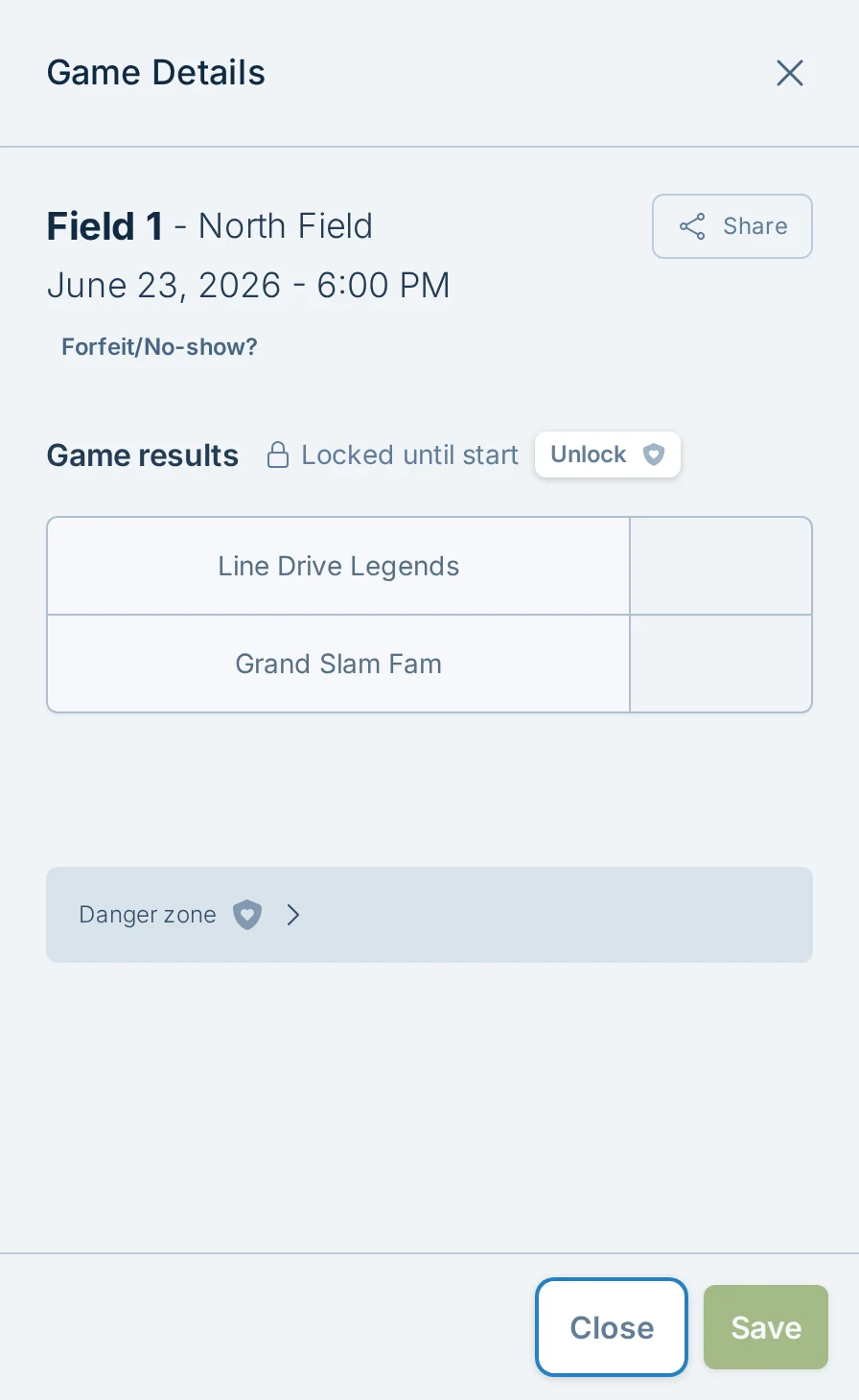
Managers and staff with score permissions can unlock a locked score form when they need to make a legitimate correction.
If your league needs a different reporting window, contact support.
Missing Scores And Reminders
When a game is missing scores, slowpitch.love can remind captains to report them.
Managers can also open a game with missing scores and use the "Remind" button. The button is only shown when captains are allowed to self-report scores. If the league is set to staff-only score reporting, managers or staff should enter the result directly.
To avoid over-emailing captains, reminders are limited. If a reminder was sent recently, the app shows when captains were last reminded instead of sending another one immediately.
Forfeits And No-Shows
Use "Forfeit/No-show?" when a team should receive a forfeit result instead of leaving the game unscored.
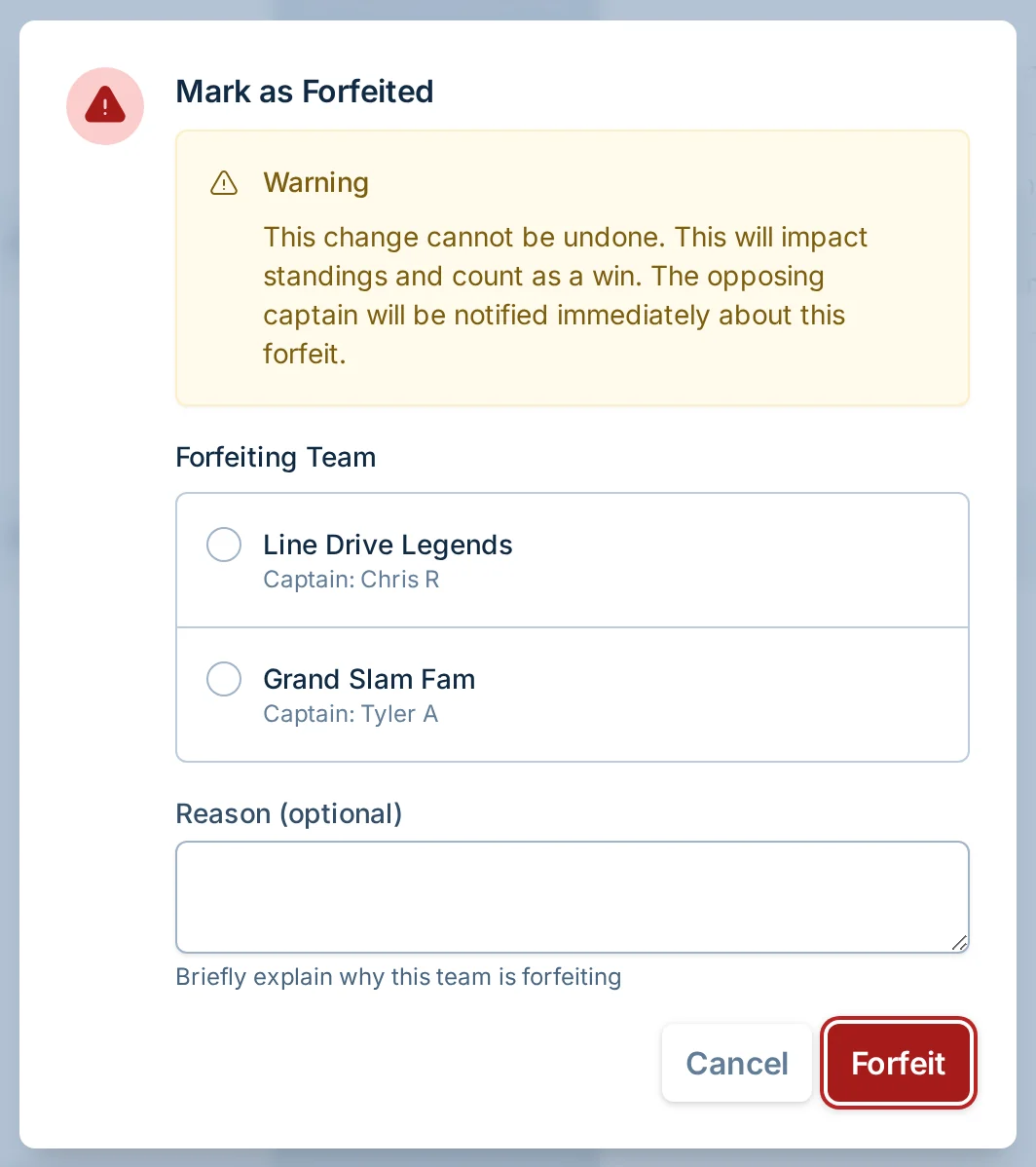
Choose the forfeiting team and add an optional reason. The whole game is selected by default. For a two-team, multi-game game, choose Forfeit specific games only when only part of the game was forfeited, then select the affected games. A selected game counts as a loss for the forfeiting team and a win for the opponent; any unselected games remain open for normal score reporting. Single-game and multi-team games skip the scope choice and record the whole-game forfeit directly.
Selecting every game records a whole-game forfeit. Selecting only some records a partial result and keeps the game open until its remaining result is known. This differs from canceling a game, where no result should count.
The game details show a forfeit summary, mark the forfeiting team in the standings, and keep every game visible. A forfeited game shows a win for the opponent and a dash for the forfeiting team; any played games keep their reported scores.
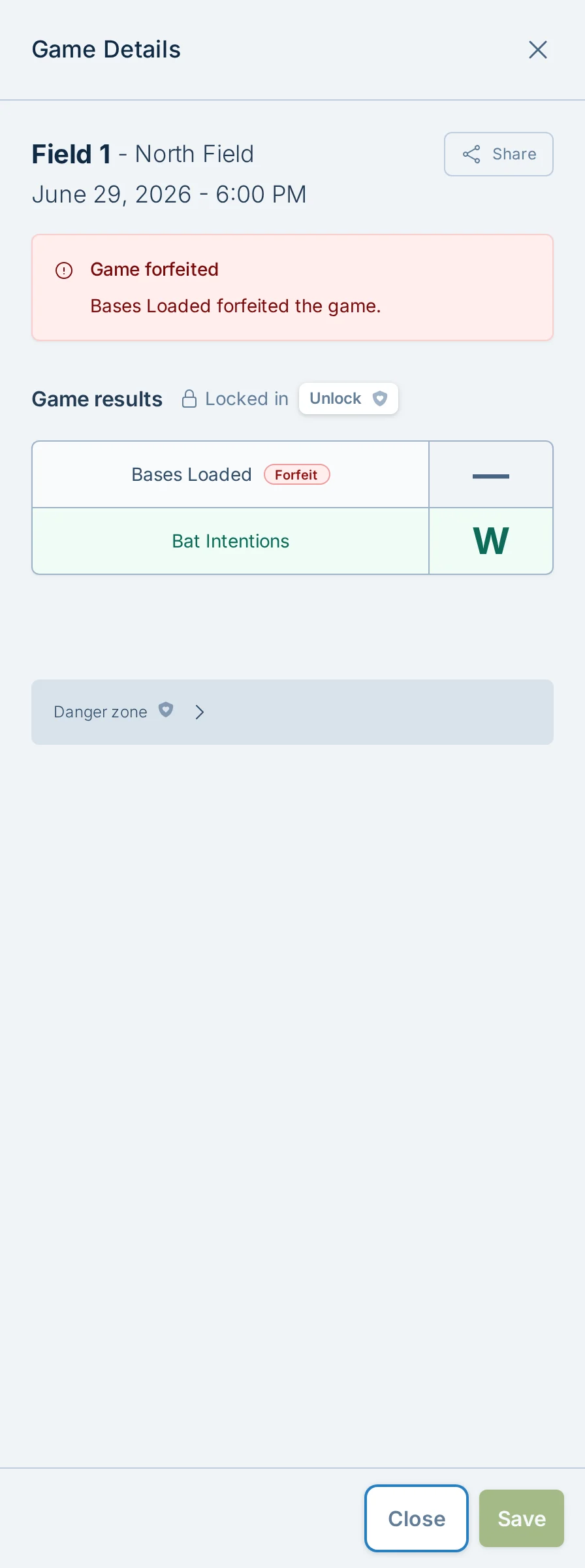
Forfeit results cannot be undone from the normal manager screen. If you mark the wrong team as forfeited, contact support.
For full cancellation details, see Cancellations.
Score Formats You May See
Most leagues use one of two score-entry styles:
- run entry - enter each team's actual runs for each game.
- Result entry - choose the outcome of each game; total runs are not entered.
If a game is marked as best-of, only the games needed to decide the winner count toward standings. Extra games played after that point do not count.
To customize ranking rules or change whether numeric scores are collected, see Standings and Scoring.
Wrong Or Suspicious Scores
Most score issues are honest mistakes. Someone taps the wrong field, forgets a game, or enters a score before confirming it with the other team.
If a score is wrong, correct the score first. If the score is already locked, a manager or staff member with score permissions can unlock the score form and save the correction.
After correcting the score, it is usually best to talk to the captains involved. Most wrong scores are simple misunderstandings.
If a league has repeated suspicious score activity, contact support.
slowpitch.love has behind-the-scenes safeguards and support-side options that can help with unusual score reporting patterns. The details are intentionally not listed publicly, but support can help you decide whether staff-only reporting, a shorter reporting window, or other stricter score reporting controls make sense for your league.
Common Questions
Do players need accounts to report scores?
No, not by default. Players and captains can report scores without signing in unless the league has been changed to staff-only score reporting. For more detail, see Accounts and Player Access.
Can players report scores before a game starts?
No. Future games are locked until the scheduled play window opens for that local play date.
Can players change old scores?
Only for a limited time. Completed games lock again after the reporting cutoff. Managers and staff with score permissions can still make legitimate corrections.
What if a score looks fake?
Correct the score first, then watch for a pattern. If it keeps happening, switch the league to staff-only score reporting or contact support about stricter controls.
Can a manager edit standings directly?
Not directly. Standings come from saved game scores. If the scores are correct and the standings still look wrong, contact support with the league name and teams involved.
Should every league use staff-only score reporting?
Usually no. Most leagues work better when captains and players can report scores themselves. Staff-only reporting is best when your staff already records results or when your league needs extra control.