Accounts and Player Access
Understand who needs a slowpitch.love account and what players can do without signing in.
slowpitch.love accounts are for people who create and manage leagues. Players and captains do not need accounts to participate.
That is intentional. The player experience is designed to be as low-friction as possible: no password to remember, no account setup step, and no player dashboard to maintain.
Who Needs An Account
League managers need accounts because they have private management tools. A manager account lets you:
- Create and manage leagues.
- Edit league settings.
- Review and approve schedules.
- Manage registration settings and teams.
- Connect Stripe for in-app registration payments.
- Review billing and hosting fees.
- Send notifications and manage cancellations.
If a manager invites someone to help manage the league through manager-side tools, that invitation will explain any account step required for that workflow.
Who Does Not Need An Account
Players and captains do not need accounts.
They can use slowpitch.love without signing in to:
- Register a team.
- View the league schedule.
- Open a team dashboard.
- Sync a team calendar.
- Turn on optional team notifications for their device.
- View standings.
- Report game scores.
- Contact the league manager.
Registering Without An Account
When a captain registers a team, they fill out the registration form. They do not create a slowpitch.love account as part of that process.
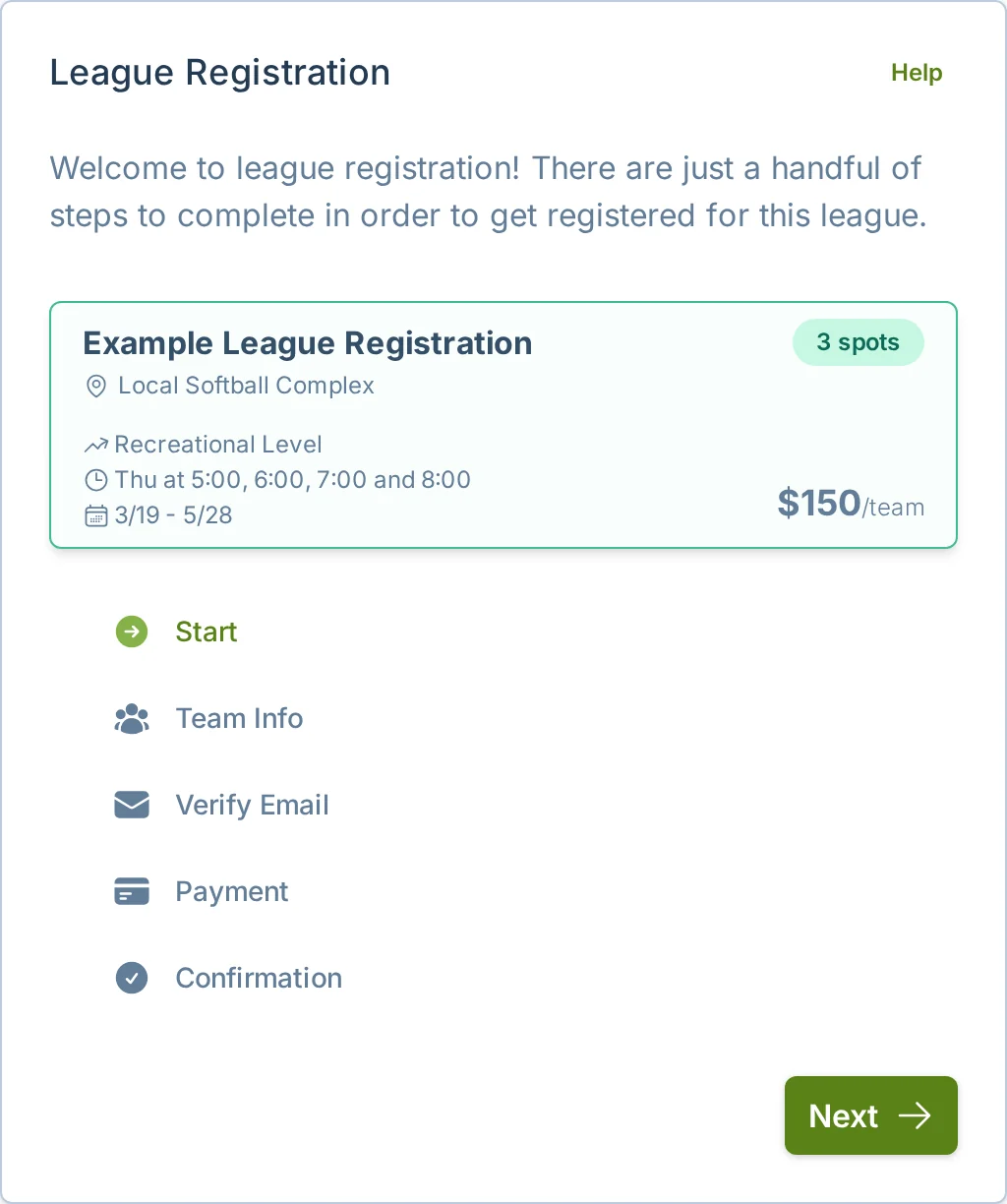
Registration asks for team and captain contact information so the league manager and slowpitch.love can send important league updates. It is not creating a player login.
For more detail, see Register for a League.
Team Dashboards
After the schedule is approved, captains receive emails that point them to their team dashboard. A team dashboard shows that team's upcoming games, stats, standings context, calendar sync option, and optional team notification controls.
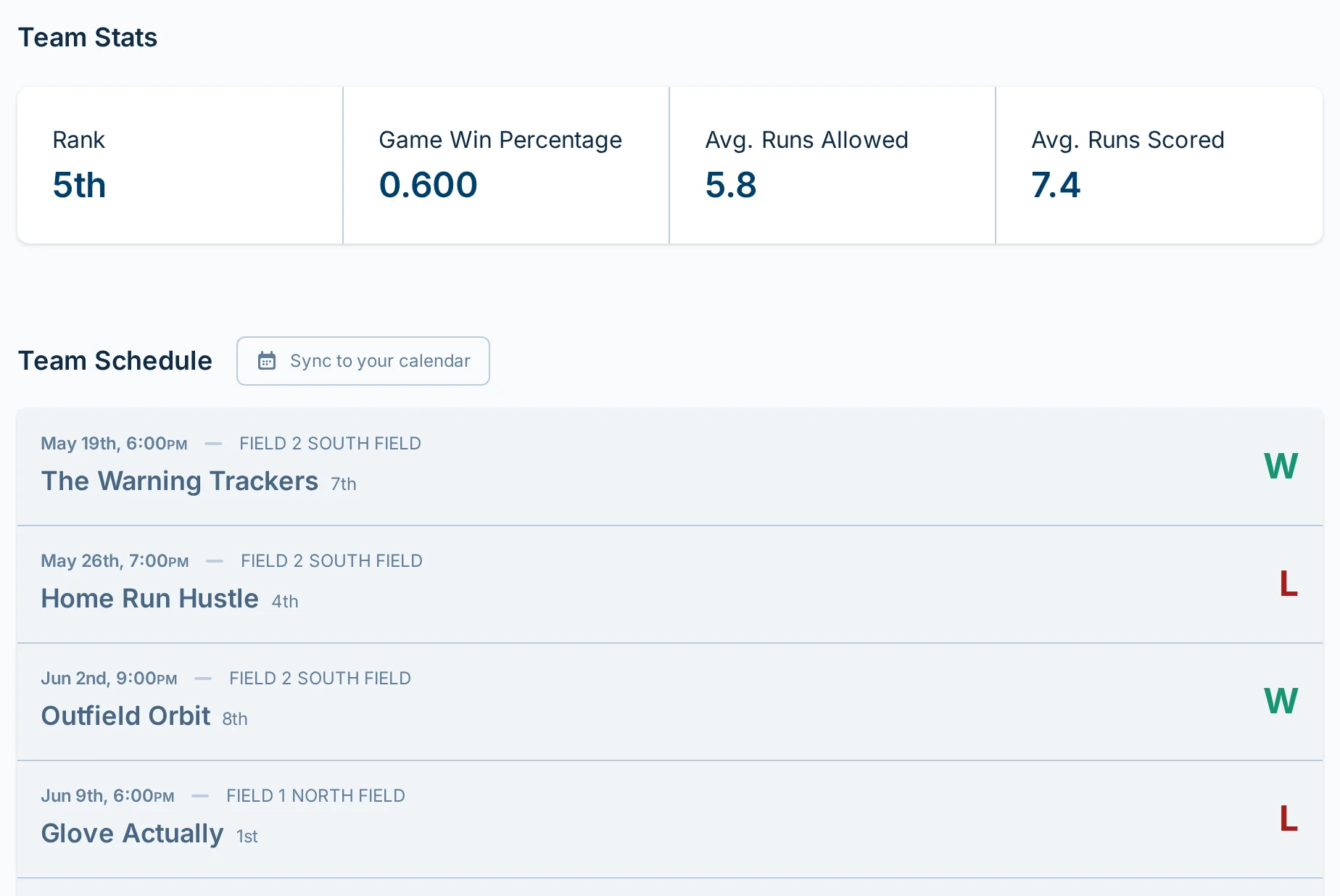
Captains can share the dashboard URL with teammates. The dashboard URL is a convenience for opening the right team view. It is not an account, password, or private login.
For player-facing details, see Team Dashboard.
Reporting Scores
Score reporting does not require an account by default. Players can open a game from the schedule or team dashboard and enter scores.
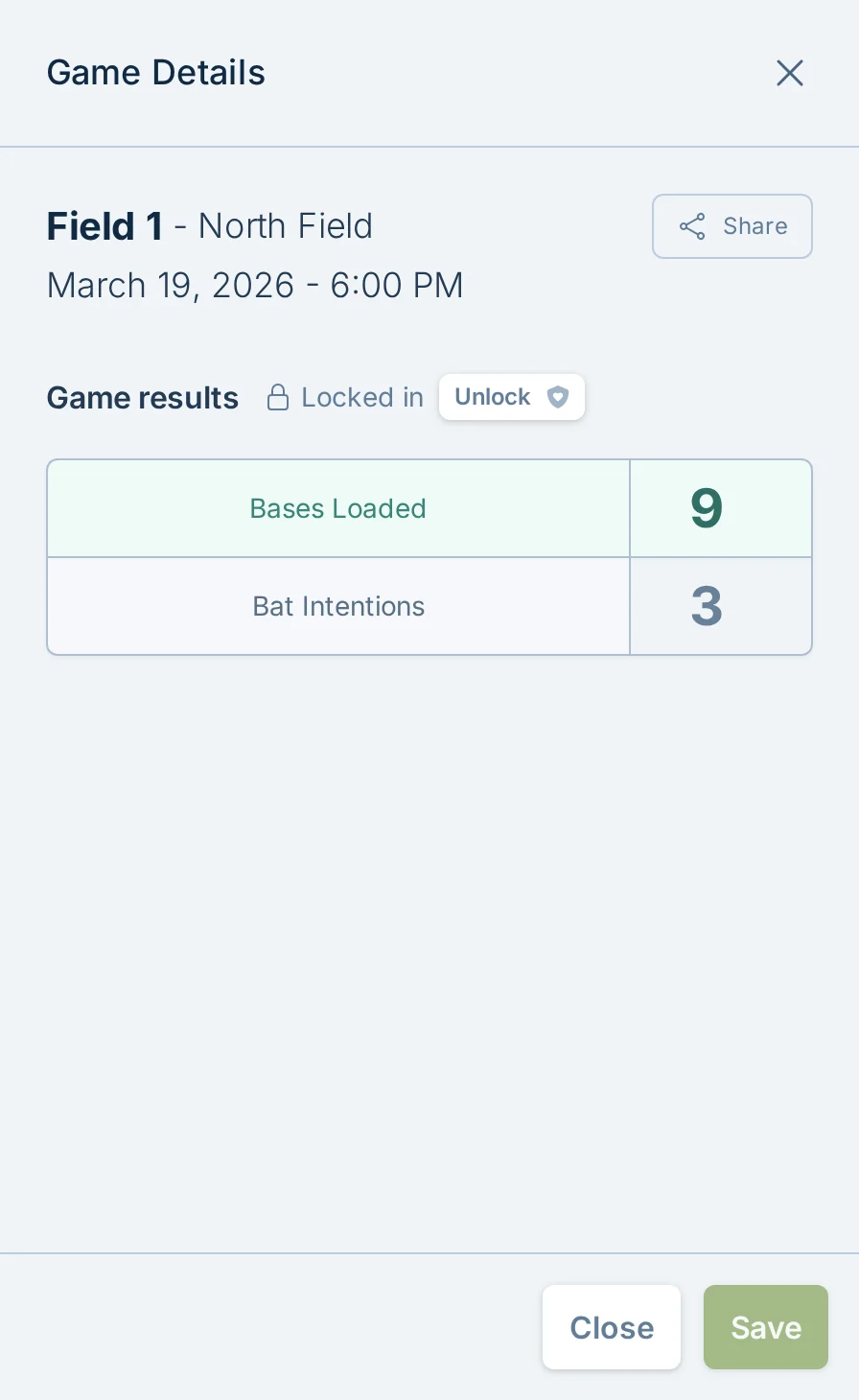
Managers can change the score reporting policy to "Staff only" from Staff and Permissions in Admin Settings. When that setting is on, normal players and captains cannot report scores for that league.
For player instructions, see Report Scores. For score reporting windows, staff-only reporting, and wrong-score concerns, see Score Reporting.
Why Players Do Not Have Accounts
Players do not currently have anything to manage inside a player account.
slowpitch.love does not currently have player-managed team rosters, waiver signing, personal player profiles, or player account dashboards. Requiring every player to create an account would add friction without giving players a useful place to go afterward.
Instead, players use direct league pages, team dashboards, and email buttons to do the things they need to do.
If A Player Creates An Account Anyway
A player may still create a slowpitch.love account, but it does not automatically connect them to a team or give them manager access.
Creating an account does not:
- Add them to a roster.
- Make them a team captain.
- Give them access to private manager tools.
- Change which team dashboard they should use.
If a player asks where to log in, the usual answer is that they do not need to log in. They should use the registration page, schedule page, team dashboard, or email button related to their league.
Common Questions
Do captains need accounts?
No. Captains can register teams, receive emails, open the team dashboard, share that dashboard with teammates, and report scores without creating an account.
Do players need accounts to report scores?
No, not by default. Score reporting is available without an account unless the league manager has changed the league to staff-only score reporting.
Can a manager see player accounts or player rosters?
No. slowpitch.love does not currently maintain player account rosters or personal player profiles. Managers manage teams and captain contact information, not individual player accounts.
Can players manage availability, substitutes, or team messages in slowpitch.love?
No. Players use slowpitch.love for league pages, team dashboards, schedule and calendar details, standings, and score reporting. Teams should handle availability, substitutes, and team chat through the process their manager or captain already uses.
What should I tell a player who asks how to log in?
Tell them they probably do not need to log in. Send them the league schedule, team dashboard, registration page, or captain email button for the action they are trying to take.
When should someone contact support?
Contact support if a captain cannot receive registration or schedule emails, if a dashboard URL is not opening the expected team, or if a player is blocked from reporting scores and you think the score reporting policy is wrong.