Schedule Review and Updates
How to review, approve, reject, and understand schedule updates.
When your schedule is ready, slowpitch.love emails you a link to review it. The review step is your chance to make sure the schedule looks right before captains are notified.
What To Review
Start with the Schedule Review panel at the top of the schedule page.
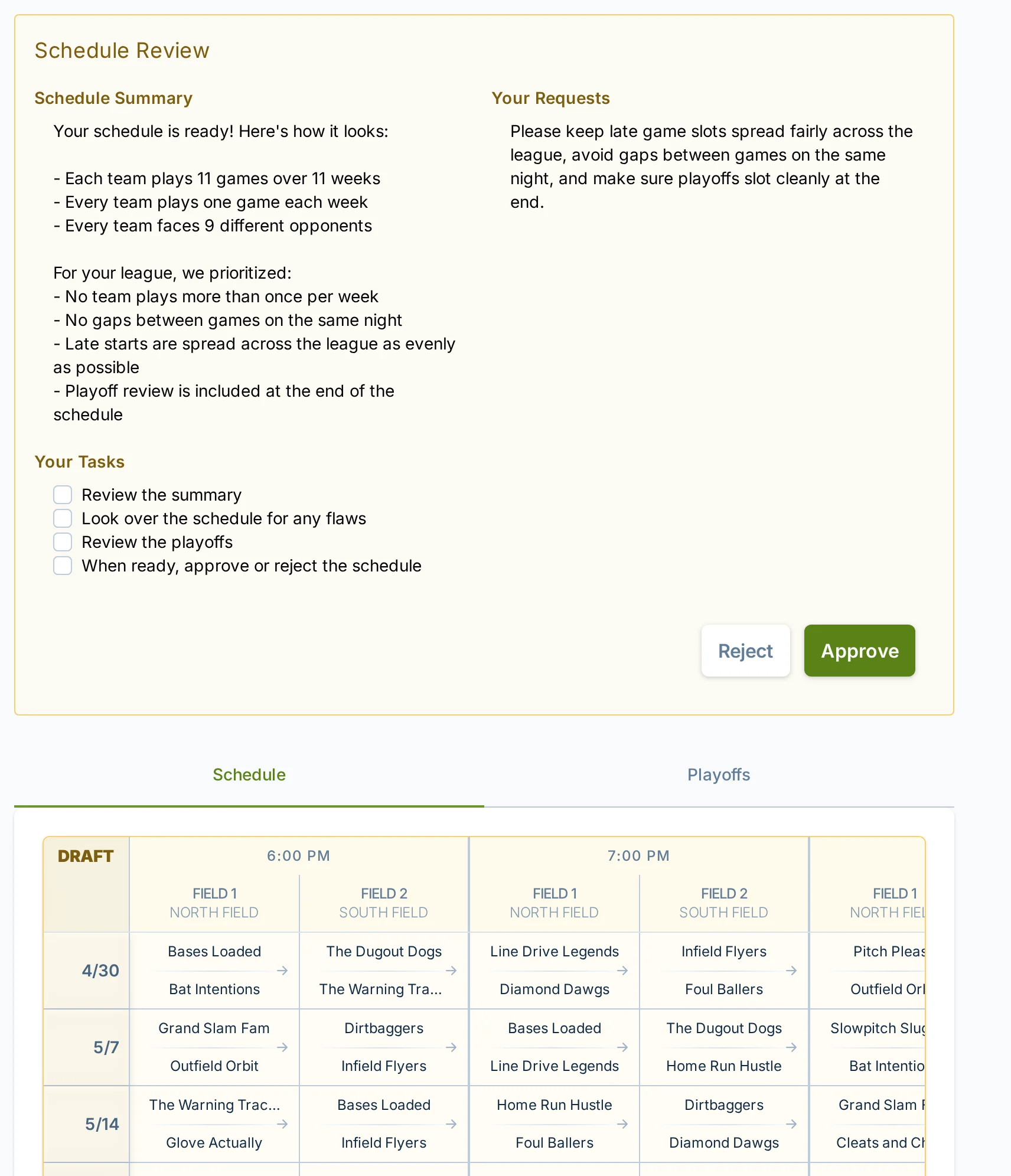
The review panel can include:
- Schedule Summary — a plain-language summary of the schedule.
- Your Requests — the scheduling requests you gave us.
- Your Tasks — a short checklist of what to look over before deciding.
After reading the review panel, scan the schedule itself. Look for the practical things that matter to your league:
- Dates and start times.
- Field assignments.
- Team matchups.
- Doubleheaders or gaps between games.
- Any special requests you expected us to account for.
- Playoffs, if your league includes them.
If playoffs are included, the review page can also show a Playoffs tab. Review it before approving. For playoff-specific review notes, see Playoffs and Brackets.
Approving A Schedule
Approve the schedule when it looks good and you are ready for captains to see it.
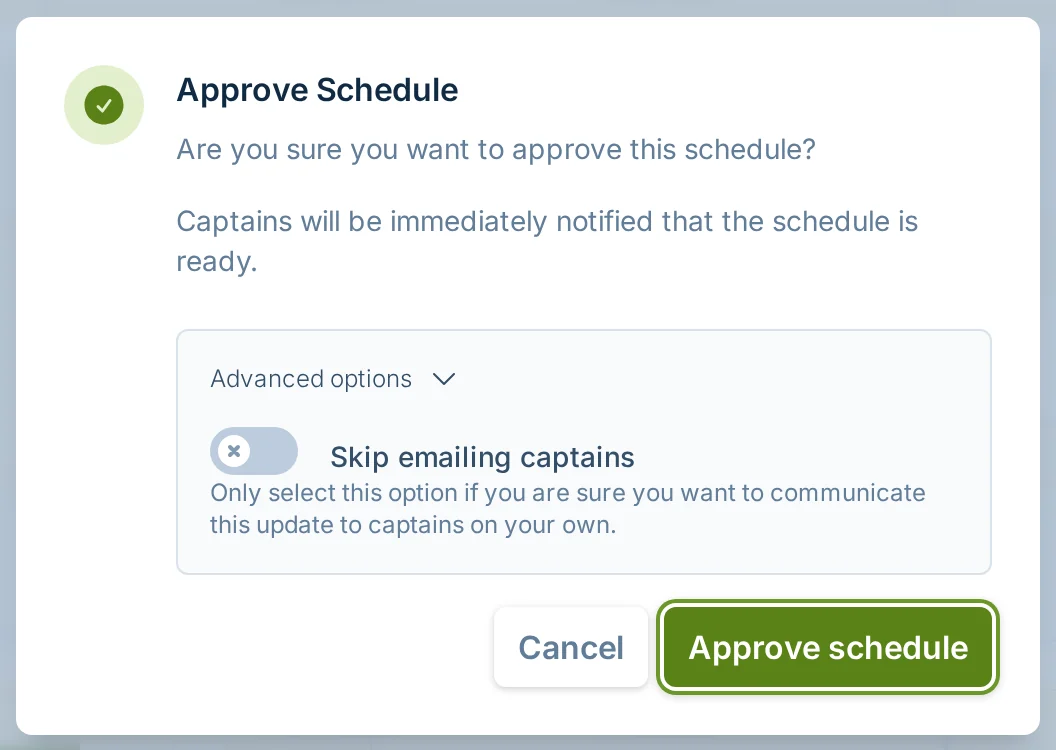
When you approve:
- Your league moves forward with that schedule.
- Captains are emailed that the schedule is ready.
- Players can view team schedules and report scores as games are completed.
- Hosting fees become due according to your billing settings.
The approval dialog includes an advanced option to skip emailing captains. Only use that if you are sure you want to communicate the schedule to captains yourself.
Rejecting A Schedule
Reject the schedule if something needs to be fixed before captains see it.
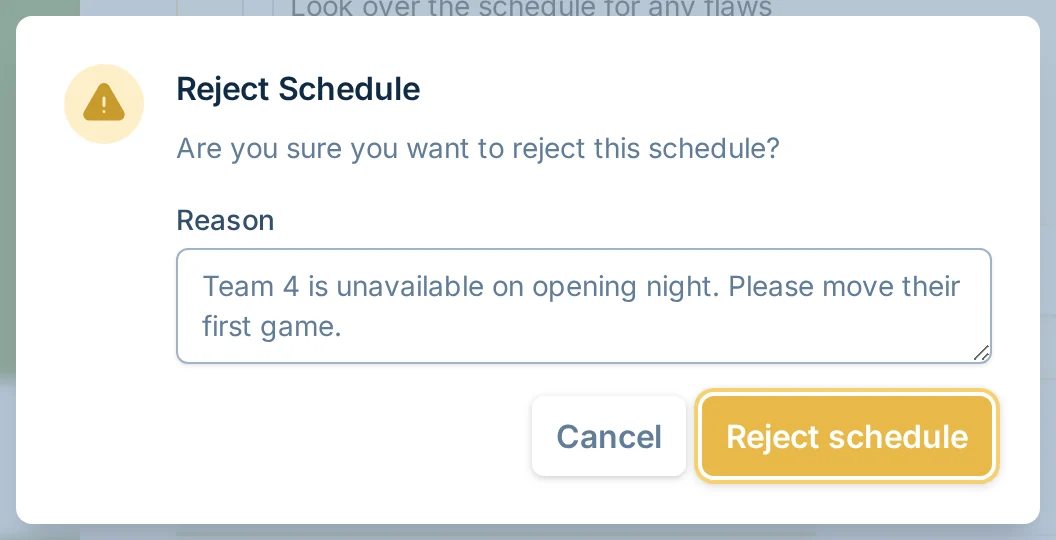
When you reject, include a clear reason. Good rejection notes are specific:
- "Team 4 cannot play before 7:00 PM."
- "We need fewer late starts for the same team."
- "Please move playoffs to the final week only."
- "Court 3 is not available on June 12."
After you reject, we will put together an updated schedule for you to review.
Schedule rejections count toward your schedule change allowance. You will see a fee warning before submitting if that rejection would add a charge. For more detail, see Schedule Change Fees.
Updated Schedules
Sometimes a schedule needs to be updated after it has already been approved. Common reasons include late team adds, late team drops, or a manager requesting a new schedule.
While an update is in progress, the schedule page may show "Updated schedule coming." Captains are not asked to review anything there; it is a manager-side status.
When the updated schedule is ready, you review it the same way: check the summary, scan the schedule, review playoffs if shown, then approve or reject.
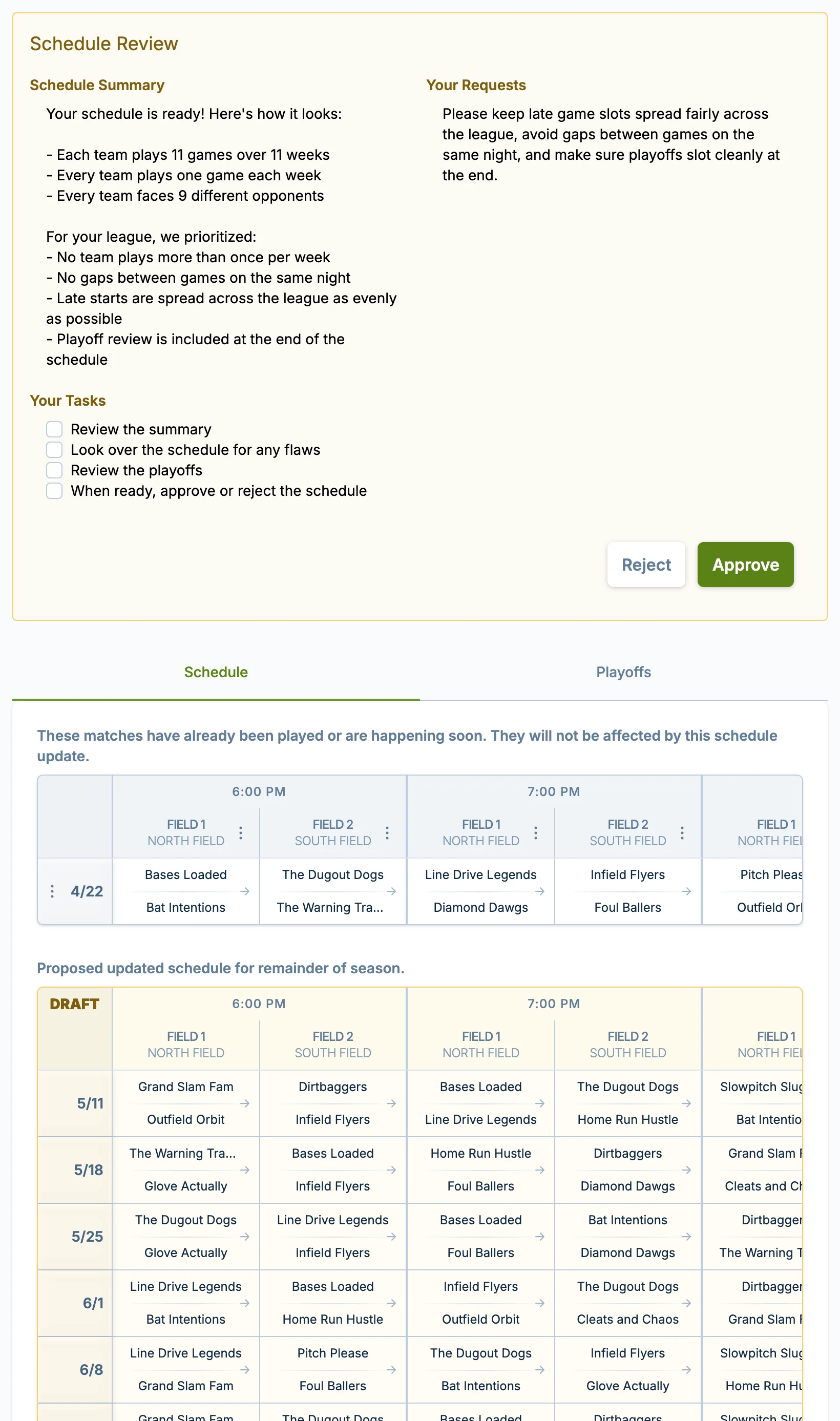
If some games have already been played or are happening soon, they may be shown separately. Those games are kept in place, and the updated schedule applies to the remaining season.
Captain Emails
When you approve the first schedule, captains receive a schedule-ready email.
When you approve an updated schedule later, captains receive an updated-schedule email.
If you choose "Skip emailing captains" in the approval dialog, slowpitch.love does not send those captain emails for that approval. Use that option only when you have another communication plan.
Common Questions
Should I approve if I only have a small concern?
No. If the concern matters to your league, reject the schedule and explain what needs to change. Approving tells slowpitch.love and your captains that the schedule is ready to use.
Can I approve now and request changes later?
Yes, but after approval, changes are treated as schedule changes. Depending on timing and your remaining free allowance, a fee may apply. See Schedule Change Fees.
What if one team has a problem with the schedule after approval?
Use the schedule page tools for the specific situation. Some issues can be handled with cancellations, forfeits, team drops, or a new schedule request. If you are unsure, contact support.
Do captains see the review screen?
No. The review screen is for managers. Captains see the schedule after you approve it, unless you skip captain emails and share it another way.
Why do I not see the review panel or Approve and Reject buttons?
Make sure you are signed in with the manager account for that league. The public schedule page may still open without signing in, but schedule review controls are only shown to managers with schedule review access.
If you are signed in and still do not see the review controls, confirm you are using the same account that created the league or was invited to manage it. If it still looks wrong, contact support.